All requests must include the API key in the request header.

Obtaining an API Key

  1. Register for a SignalHire account
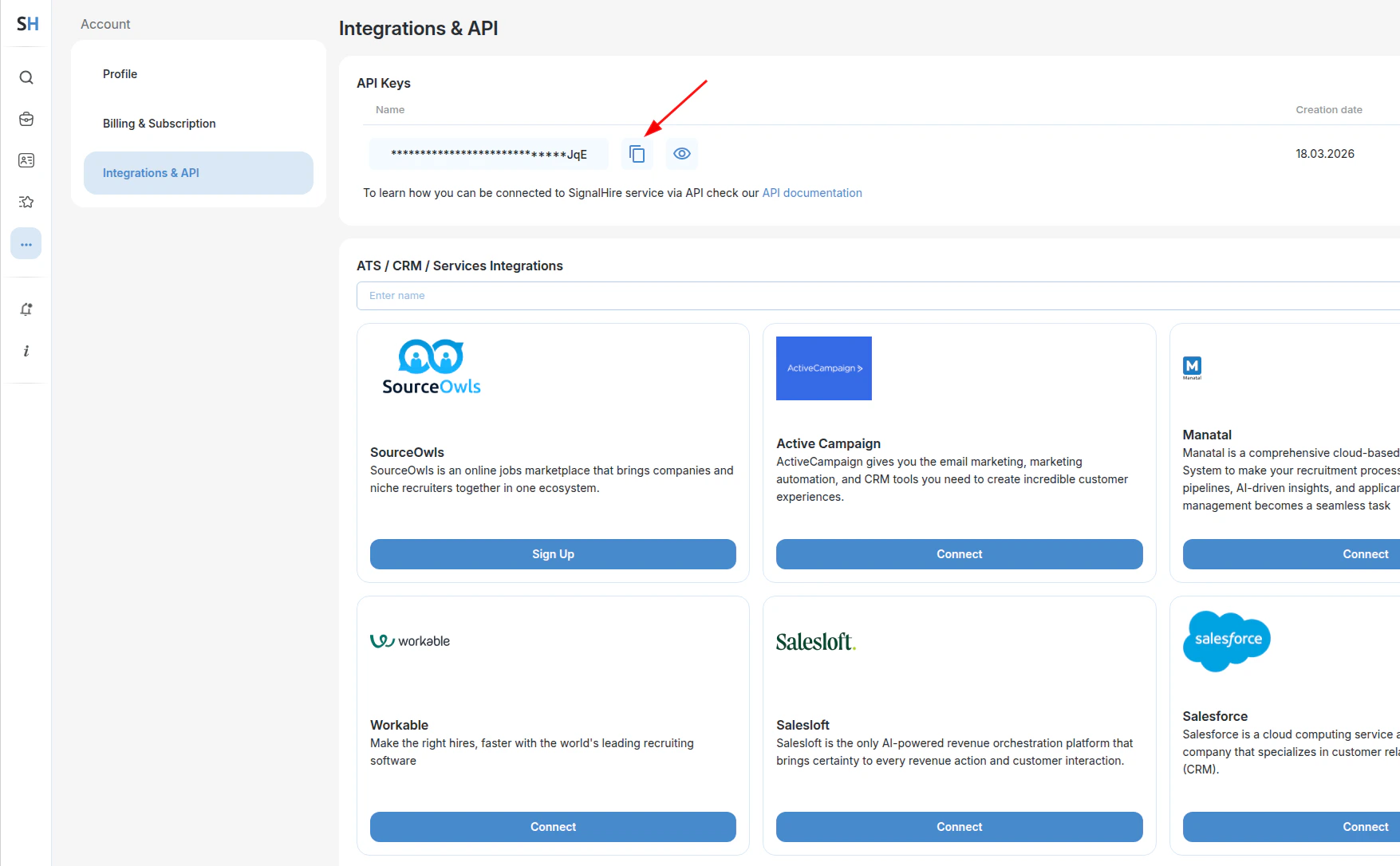
  2. Open the left sidebar and navigate to Other tools → Integrations & API
  3. Click Create new API Key, then copy the generated key using the copy icon next to it

Integrations and API in the left sidebar
Create new API Key button and copy icon

Using the API Key

Include the apikey header in every request:
curl -X POST https://www.signalhire.com/api/v1/candidate/search \
-H 'apikey: your_secret_api_key' \
--data '{"items": [...], "callbackUrl": "https://yourdomain.com/callback"}'
API keys must be kept secure. Exposing a key in public repositories or sharing it with unauthorized parties allows others to make API calls consuming paid credits.

Checking Remaining Credits

The X-Credits-Left header is included in every API response and shows the current credit balance.
    HTTP/2 201
    Content-Type: application/json
    X-Credits-Left: 243
Credits can also be checked explicitly — see Get Remaining Credits.